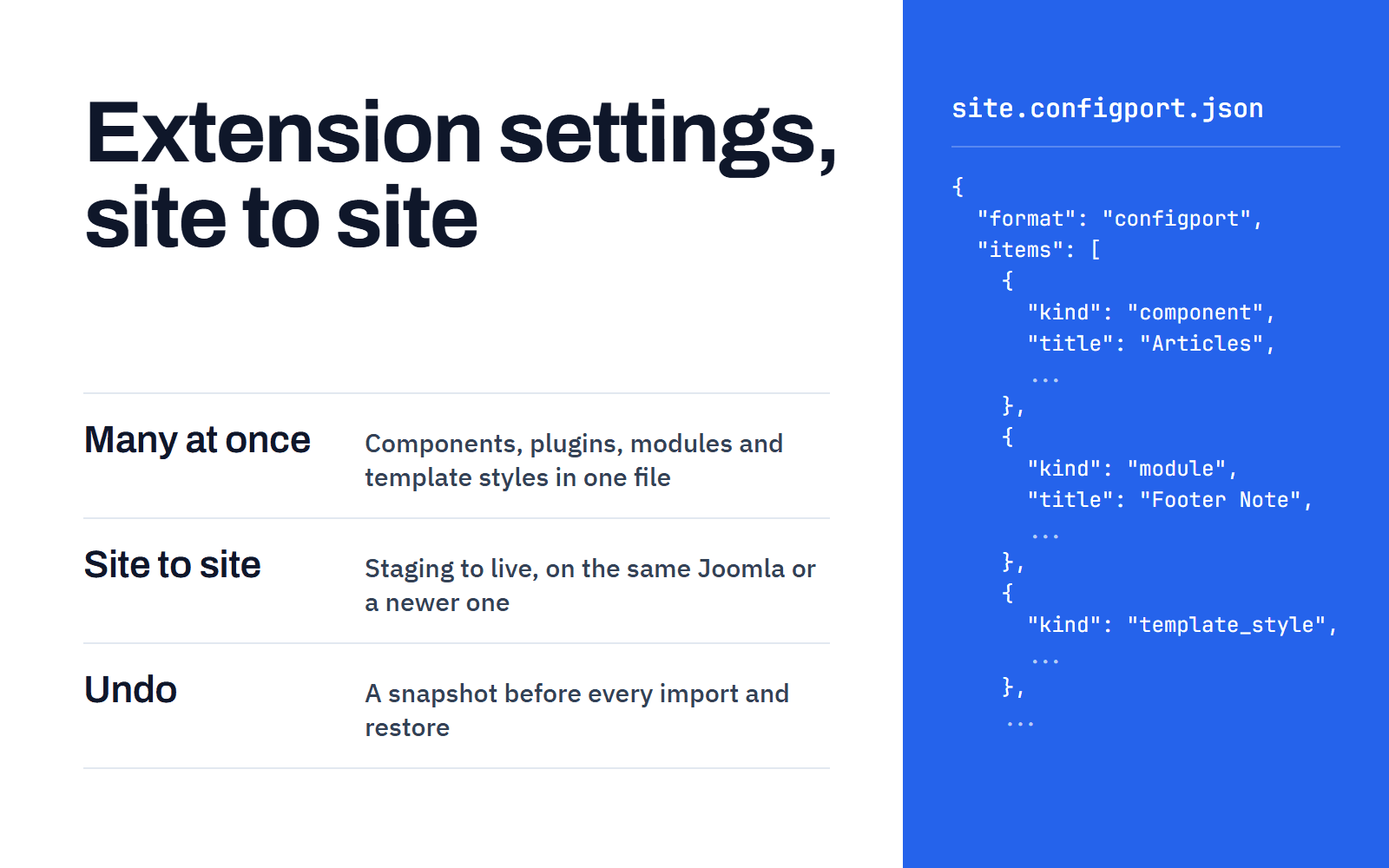
Copy the settings of Joomla components, plugins, modules and template styles between sites, such as staging to live. Many at once, with a snapshot to undo.
ConfigPort is a free Joomla extension that exports the settings of components, plugins, modules and template styles to one file and imports that file on another Joomla site. A preview shows every change first, and a snapshot lets you undo the import. It runs on Joomla 3.10, 4.4, 5.4 and 6.
Move Joomla settings from staging to live
ConfigPort works between two sites on the same Joomla version. It also works from an older Joomla to a newer one. Install it on both sites, export on the first and import on the second. Common uses:
From a staging site to the live site
From one client site to the next
From a development copy back to production
A file imports into the same Joomla major version or a newer one. The target site must already have the extensions, modules and template styles. ConfigPort writes their settings and creates none.
Export and import many extensions at once
One export file holds the settings of components, plugins, modules and template styles together, up to 1,000 items and 5 MB. On the Export screen you tick the items you want.
One import previews every item in the file and applies the ones you confirm in a single step. The preview and the result list each item separately. You can leave out any item, and for the others you choose Merge or Replace:
Merge sets the settings in the file and keeps the rest.
Replace makes the item equal to the file and removes settings the file does not hold.
With both, a value left out of the export, such as a secret, keeps this site's value. See Merge or replace.
Undo a Joomla settings import
ConfigPort saves a snapshot of the settings before every import and every restore. To undo an import, open Components → ConfigPort → Snapshots, open the snapshot and restore the items you tick. A restore saves its own snapshot, so you can undo a restore too.
Snapshots live in the site's database. ConfigPort keeps the 20 newest snapshots and every snapshot younger than 90 days. You can change both numbers in the options. A snapshot can hold secret values as they were before the import, so delete the ones you no longer need. See Reverting an import and Snapshots and retention.
Support and updates.
This plugin is free to use on any number of sites. The terms below apply to everyone running it.
Updates
Your site checks our update server on its own schedule and installs releases without a licence key.
Sites
Use it on as many sites as you like. There is nothing to register.
Documentation
Installation steps, configuration notes, and every changelog entry for this plugin are public. Read them before you buy, not after.
Support
Free plugins do not include a support plan. Report a bug through the contact form and we will read it.
Exports, imports and restores are also recorded in the User Actions Log.
How to copy settings from one Joomla site to another
Install ConfigPort on both sites.
On the source site, open Components → ConfigPort → Export. Tick the items and download the file.
On the target site, open Components → ConfigPort → Import and upload the file.
Check the preview. Where several modules or template styles match, choose the one that receives the settings.
Check the confirmation page and click Apply the import.
The quick start also covers installation and updates.
Preview every change before you apply it
The preview lists every setting the import would add, change or remove, with its value now and after the import. Values that look secret are hidden. The confirmation page lists each item that will change, and nothing changes until you click Apply the import.
ConfigPort finds each target by what the item is, never by its id on the other site:
A component by its name
A plugin by its group and name
A module by its type and client
A template style by its template and client
When several modules or template styles match, you choose the one that receives the settings. Apply checks the preview again. An item whose settings changed since the preview is not written.
What ConfigPort copies
ConfigPort copies the settings Joomla keeps in the params column of an extension:
Component options, the values on a component's Options screen
Plugin settings
Module settings, one entry for each module
Template style settings, one entry for each style
This covers core and third-party extensions, as long as the extension keeps its settings in params. An import changes that column for the items you confirm, and nothing else.
What ConfigPort does not copy
ConfigPort does not copy:
Content: articles, categories, menus, menu items, users and media files.
Modules and template styles themselves. The target site must already have them.
A module's title, position, published state, access level, language, ordering and menu assignment. The same goes for a template style's title, default flag and menu assignment.
Whether an extension is installed or enabled. ConfigPort installs nothing.
Permissions.
Settings an extension keeps in its own database tables, such as the payment methods of a shop extension.
The settings Joomla keeps in configuration.php: the site name, database, mail, cache, session, SEF and server settings of the Global Configuration.
Use this when you rebuild a site on a newer Joomla. Install ConfigPort on both sites, export on the Joomla 3 site and import the file on the Joomla 6 site. The Joomla 3 site must run 3.10 or later. A file can go into the same Joomla major version or a newer one:
A Joomla 3 file into Joomla 3, 4, 5 and 6
A Joomla 4 file into Joomla 4, 5 and 6
A Joomla 5 file into Joomla 5 and 6
A Joomla 6 file into Joomla 6
A file from a newer major version than the site can be previewed, not imported. For an older file, the preview names both Joomla versions and shows each setting that differs. Extensions can change their settings between major versions, so check every item. Keep Merge unless you have a reason to replace.
A template style cannot be imported when the new Joomla does not have its template. Protostar, the Joomla 3 site template, is one case. ConfigPort does not convert the settings of a third-party extension from one version of that extension to another. Read Importing older Joomla exports before you import an older file.
Secrets and permissions
Values that look secret, such as passwords, API keys and licence keys, are left out of an export unless you include them. An import keeps the site's own value for anything the file left out.
ConfigPort finds secrets by field type and name, so it can miss one. A key in a plain text field with a neutral name is exported. Check a file before you share it, and delete it after the import. See Why some values are left out.
Values that only make sense on one site are marked before you download: menu items, categories, user groups, web addresses, email addresses and paths. You can leave them out.
Permissions are never exported or imported. A file that holds permissions is refused.
By default only Super Users can export, import and restore. A Super User can give other groups these permissions. Give the import permission only to groups you trust with the whole site. See Permissions.
Export or import one item from its edit screen
The Options screen of a component, and the edit screens of plugins, modules and template styles, get an Export and an Import button. Export downloads the saved settings of that item. Import opens the import for that item, and the edit screen opens again with the new settings.
A user sees a button only with the matching ConfigPort permission and the right to edit that item. See Quick actions on edit screens.
Requirements
Joomla 3.10, 4.4, 5.4 or 6. On Joomla 6, ConfigPort does not need the Backward Compatibility 6 plugin.
PHP 7.4 to 8.4, within what your Joomla version supports. Joomla 5.4 needs PHP 8.1 or later, and Joomla 6 needs PHP 8.3 or later.
A MySQL or MariaDB database. PostgreSQL is not supported.
One package installs on every supported version. It holds the component and two plugins, one for the edit screen buttons and one for the User Actions Log. The installer refuses Joomla before 3.10, PHP before 7.4 and any other database. ConfigPort 1.0 is in English (en-GB).
We test on Joomla 3.10.11, 3.10.12, 4.4.13, 4.4.14, 5.4.7, 5.4.9 and 6.2.0. Joomla 6 runs with the Backward Compatibility 6 plugin disabled in every test. Joomla 7, PHP 8.5 and later, and Joomla 6 releases after 6.2.0 are not tested. See Supported versions.
Frequently asked questions
Can I copy settings between two sites on the same Joomla version?
Yes. For example, from a staging site to the live site, or from one client site to the next. A file imports into the same Joomla major version or a newer one.
Can I copy module settings to another site?
Yes, when the other site already has a module of the same type. ConfigPort copies the settings of the module, not its title, position, published state or menu assignment. When several modules match, you choose the one that receives the settings.
Can I export the settings of one plugin?
Yes. Open the plugin's edit screen and click Export. On the other site, open the same plugin and click Import.
How do I undo an import?
Open Components → ConfigPort → Snapshots, open the snapshot of the import and restore the items you tick. See Reverting an import.
Does ConfigPort work with third-party extensions?
Yes, when the extension keeps its settings where Joomla keeps them: the options of a component, or the settings of a plugin, module or template style. Settings an extension keeps in its own tables are not transferred.
Can I import a Joomla 6 file into Joomla 4?
You can preview it, not import it. A file from a newer Joomla major version than the site is preview only.
Are passwords and API keys exported?
Not unless you include them. ConfigPort lists the values that look secret on the check page, where you can include each one.
Will an import blank a password on the target site?
Not for a value the file left out. That setting keeps the value it has on the target site. A value the file holds is written as it is, an empty one included. The snapshot of the import lets you restore the old value.
Can an administrator who is not a Super User use ConfigPort?
Yes, when a Super User gives their group the permissions.
Does ConfigPort send data anywhere?
No. It makes no network call of its own. Joomla's updater checks drplugin.com for new versions of the package.
Is ConfigPort free?
Yes. It is free to download and use, under the GNU General Public License version 2 or later.
Compatibility
Read from the latest published release (version 1.0.0). These figures change when we ship, so they are never typed by hand.
Platform
Supported
Joomla
3.10+ · tested up to 6.2
PHP
7.4 - 8.4
Features
Site to site, same version
Move settings from staging to live, between client sites, or from a development copy to production, on the same Joomla major version or a newer one.
Many extensions at once
One file holds the settings of components, plugins, modules and template styles, up to 1,000 items, and one import previews and applies them item by item, with merge or replace for each.
Undo imports and restores
ConfigPort saves a snapshot before every import and every restore, you restore the items you tick, and a restore can be undone too.
Preview before import
The preview lists every setting the import would add, change or remove, and nothing changes until you confirm.
Matched by identity, not id
ConfigPort finds each target by what the item is, and you choose the module or template style when several match.
Secrets left out
Passwords, API keys and licence keys stay out of an export unless you include them.
Joomla 3 to Joomla 6
A file from an older Joomla major version imports with a notice, and a file from a newer one can only be previewed.
Buttons on edit screens
Export and Import for one plugin, module, template style or component's Options screen.
Action log
Exports, imports and restores are recorded in the User Actions Log.
Screenshots
Changelog
Every release we have shipped for this plugin, newest first.
v1.0.0Oct 26, 2026
1.0.0
The first release. ConfigPort copies the settings of components, plugins, modules and template styles from one Joomla site to another, through a file you check before anything changes.
Export
Export the settings of components, plugins, modules and template styles to one JSON file, up to 1,000 items.
Values that look secret, such as passwords, API keys and licence keys, stay out of the file unless you include them.
Values that only make sense on one site are marked before you download: menu items, categories, user groups, web addresses, paths and email addresses.
Permissions are never exported.
Import
A preview shows every setting the import would add, change or remove, item by item. Nothing changes before you confirm.
Targets are found by what an item is, never by its id on the other site. When several modules or template styles match, you choose.
Merge or replace, per item. Values the file left out keep their value on this site.
A file from an older Joomla major version imports with a notice. A file from a newer one can be previewed, not imported.
Only the settings of an item change. Plugins that act on a save run as when you click Save, and the Joomla cache is cleaned.
Snapshots
A snapshot of the settings before every import and every restore.
Restore puts back the settings of the items you tick, from the Snapshots screen or the result page.
Old snapshots are deleted after a number and an age you set in the options.
Edit screens and logs
Export and Import buttons on the edit screens of plugins, modules and template styles, and on the Options screen of a component.
User Actions Log entries for exports, imports and restores.
Versions
One package for the last Joomla 3 release and for Joomla 4, 5 and 6. It does not need the Backward Compatibility plugin of Joomla 6. The documentation page Supported versions lists the exact Joomla and PHP versions.
MySQL or MariaDB.
ConfigPort makes no network call of its own. Joomla's updater checks drplugin.com for new versions.
Loading reviews
Reviews
5.01 review
51
40
30
20
10
Jeremy ChristosOct 28, 2026
Finally, the Joomla extension I’ve been looking for!
I've been a VirtuePlanet customer for over 10 years, and I've always had a great experience with their products and support.
I recently discovered ConfigPort on DrPlugin, downloaded it, and started using it. I'm really happy with it so far! I've been looking for something like this for a long time, and it's great to finally have an easy way to export and import Joomla extension settings.
Knowing the people behind VirtuePlanet for so many years, I have every reason to trust DrPlugin as well.